For your own Twilio number
A second line on your iPhone, from a number you already own.
Duskdial turns a phone number on your own Twilio account into a native second line. Calls ring like any other call while your trial or subscription is active, and you call out from the same number.
Requires your own Twilio account and number. Calls only in version 1. Screens on this page are design previews: Duskdial is not yet in the App Store.
From your Twilio account to a ringing iPhone
Three steps, in this order.
Start with your own Twilio account
You already have a Twilio account and a voice-capable phone number, or you create them in Twilio’s console. Duskdial does not provide numbers.
Connect with an API key you control
You create a Standard API key in the Twilio console and enter it in Duskdial. You can delete the key in Twilio at any time. Duskdial shows the change to your number’s webhook before it applies it.
Take calls like any call
While your trial or subscription is active, incoming calls use the iPhone call screen and ring even when the app is closed. Place calls from the Duskdial keypad, with your Twilio number as the caller.
A phone, not a dashboard
Four tabs, system fonts, light and dark.

Keypad
Dial from your Twilio number. If you dial an emergency number, Duskdial hands the call to your iPhone’s own Phone app.

Recents
Outgoing, incoming, missed, declined and did-not-connect calls in one list, kept on your iPhone. Showing names from Contacts is optional.

Contacts picker
Pick a person from your iPhone Contacts to call. Names can show in Recents if you choose.
Design preview: screens from the approved designs; Duskdial is not yet in the App Store.
- Diagnostics
- If a call does not ring, open Settings, then Diagnostics. It names the failing step in plain words and can run a test incoming call.
- Webhook preview and restore
- See what will change on your number before you apply it, and restore your previous setting when you disconnect.
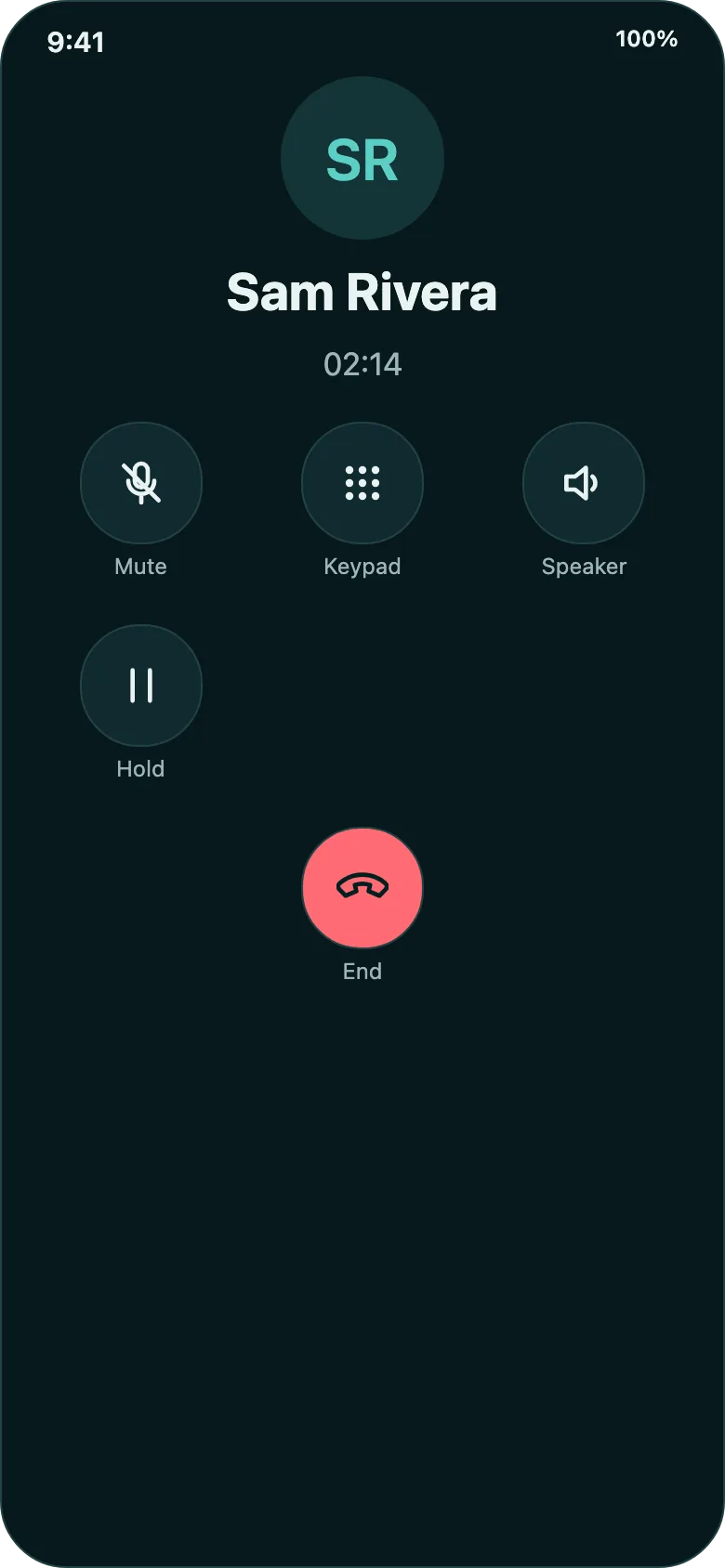
- In call
- Mute, hold, keypad and speaker, with a menu to choose Bluetooth or other audio routes.
You hold the key, and you can pull it any time
Duskdial uses a Standard API key you create in your Twilio console. It never asks for your Auth Token.
- We do not store your key. It is kept in your iPhone’s Keychain. It passes through our setup service when you connect, replace your key or change number, and when the app renews its push certificate (about once a year). The service uses it to add our push certificate to your Twilio account. The other setup steps go directly from your iPhone to Twilio.
- The key is masked in Settings. Showing it asks you to confirm it is you, then shows bullets and the last four characters only.
- Delete the key in the Twilio console and Duskdial can no longer place or receive calls. That is the surest way to cut access.
- No ads, no analytics and no tracking. Disconnect and erase all data removes your key and settings from the iPhone.
Illustration with placeholder characters, not a real screen capture.
People who already run a Twilio number
If your number lives in Twilio and you want to answer it on your iPhone with the normal call screen, recents and contacts, this is the missing app. Calls run through your account and under your terms with Twilio.
What you need
- A Twilio account and a voice-capable phone number on it.
- An iPhone with iOS 18 or later.
- Wi-Fi or mobile data. Calls need a connection.
What you do not get yet
- Voicemail and text messages are planned for later versions. Version 1 is calls only.
- Phone numbers or calling minutes. Twilio bills you directly for those.
Free for 14 days, then a subscription
The 14-day free trial is for eligible new subscribers, and after that the subscription renews automatically unless you cancel. Incoming calls ring while your trial or subscription is active.
The price is shown in the App Store before you subscribe.
The App Store handles the subscription. Manage or cancel in Settings on your iPhone, under your name, then Subscriptions.
Twilio charges for calls and numbers are separate and appear on your Twilio account.
Answers before you install
Does Duskdial give me a phone number?
No. Duskdial does not provide phone numbers and does not sell calling minutes. You bring your own Twilio account and number, and Twilio bills you directly for calls and numbers.
Will it ring when the app is closed?
Yes, while your trial or subscription is active (or Apple is retrying a payment) and you have a connection. Incoming calls arrive as a push to your iPhone and show the normal iPhone call screen.
Do you store my Twilio key?
We do not store it. Duskdial keeps your key in your iPhone’s Keychain. It passes through our setup service when you connect, replace your key or change number, and when the app renews its push certificate (about once a year). The service uses it for that request to add Duskdial’s push certificate to your Twilio account as a push credential. The other setup steps go directly from your iPhone to Twilio. Voice tokens are made on your iPhone, and Duskdial never asks for your Twilio Auth Token.
Will Duskdial change my existing Twilio setup?
Setup shows you the change to your number’s webhook before it applies it, and offers to restore your previous setting later. Disconnect and erase all data does not delete your Twilio account or number.
What happens when my trial ends?
The App Store handles the subscription. When the trial has ended and there is no active subscription, Duskdial does not take incoming calls. You get a “You missed a call” notice (this needs notification permission) and tapping it opens the subscription screen.
Can I send texts or get voicemail?
Not yet. Version 1 is calls only. Voicemail and text messages are planned for later versions.
What if a call does not ring?
Check Focus and Silent mode, your connection, and that your Twilio number and credit are in order. Then open Settings, then Diagnostics in Duskdial: it shows which step is failing in plain words. The support page lists every step.
Does it work with a free Twilio trial account?
Twilio’s own trial limits apply, for example calls only to numbers you have verified, and Twilio may play a short notice on calls. These limits come from Twilio, not Duskdial.
Can I use it for emergency calls?
No. Duskdial never places emergency calls. If you dial an emergency number in Duskdial, it hands the call to your iPhone’s own Phone app. To reach emergency services, use the Phone app directly.
Emergency calls. Duskdial does not place emergency calls. If you dial an emergency number in Duskdial, it hands the call to your iPhone’s own Phone app. To reach emergency services, use the Phone app directly. Duskdial never places emergency calls over your Twilio number, so any emergency address registered with Twilio is not used. While you have a trial or subscription, a call back to your Twilio number would ring in Duskdial, not in the Phone app.